
This $50 Keyboard Case Has a Feature Clicks Doesn’t… But There’s a Catch
This is a $50 keyboard case from Akko, and somehow it has a feature that the much more expensive Clicks case doesn’t even have. At first glance, it just looks like another one of those gimmicky accessories you try once and forget about, but the more I used it, the more it started to make sense.
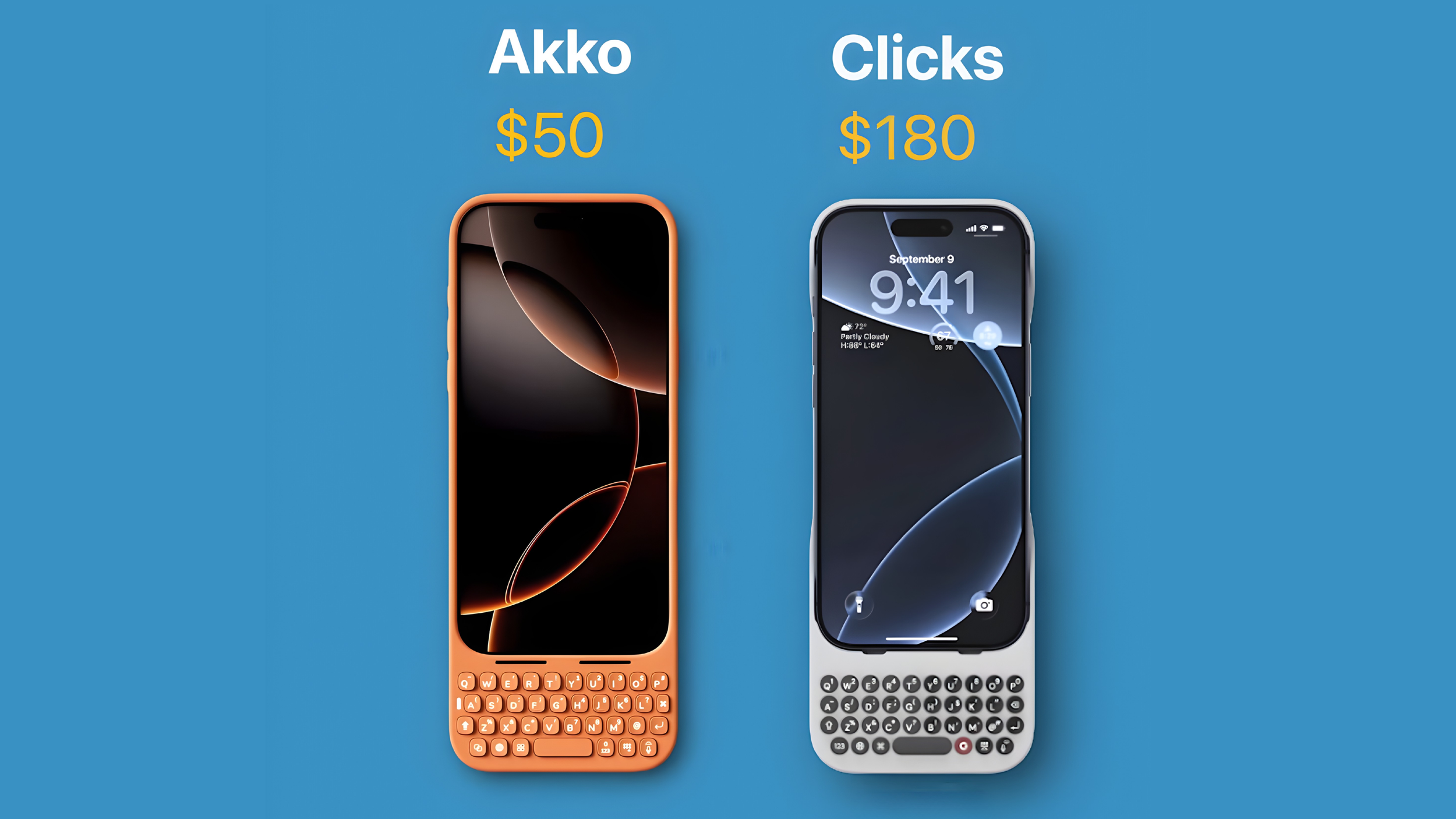
And that’s where things get interesting, because on paper, this thing is doing almost everything the Clicks case does, and in some ways, it’s actually doing more.
So the obvious question is, why is it so much cheaper… and what’s the catch?
First Impressions Are Surprisingly Good
For the price, this thing actually looks and feels better than you’d expect.
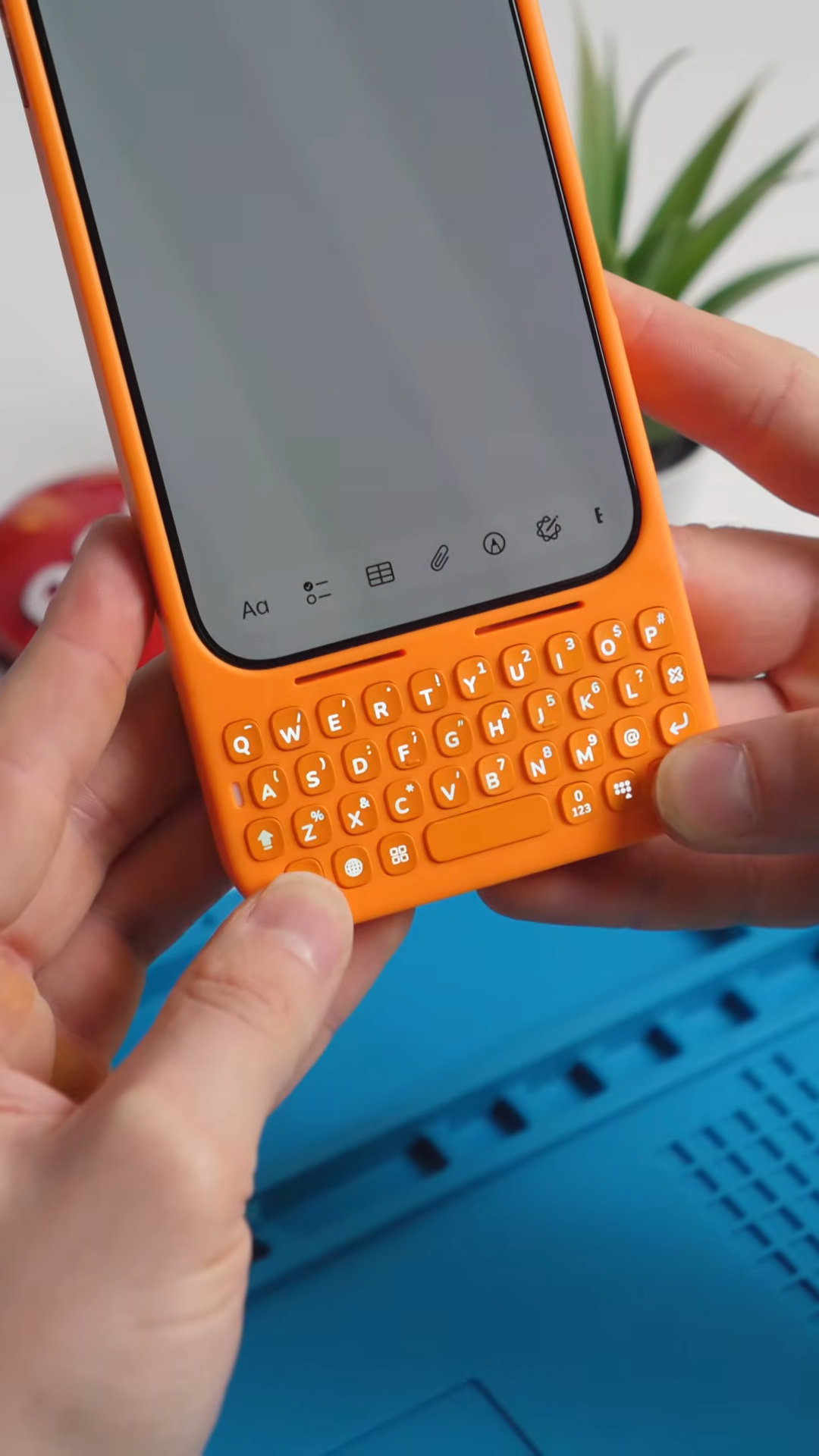
You slide your phone into the case, and it instantly turns your device into something that feels closer to an old-school BlackBerry. It adds a full physical keyboard to the bottom, which obviously makes the phone longer, but also changes how you use it.
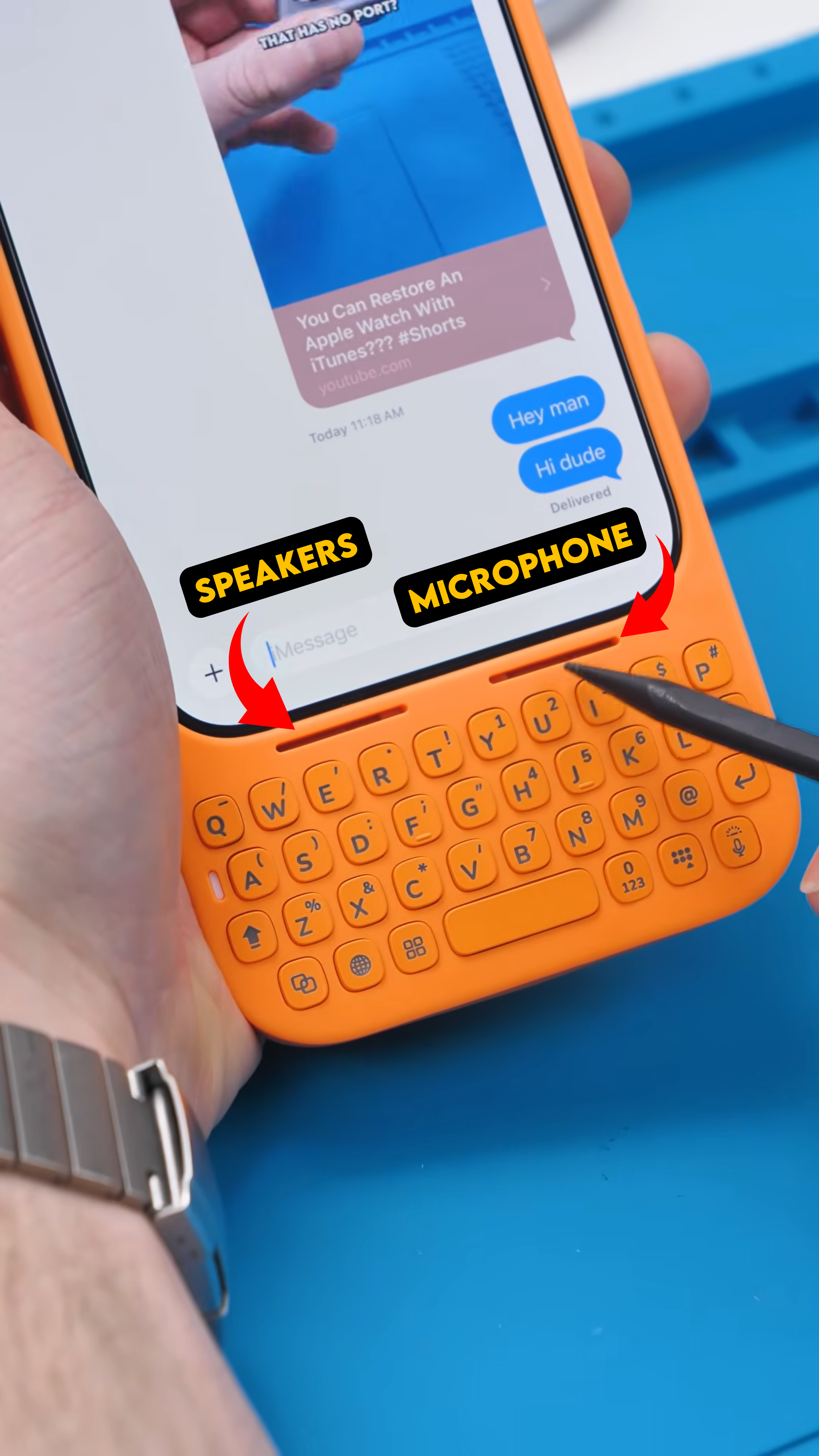
The keyboard itself is backlit, which is something you don’t always see at this price point, and there are cutouts for the speaker and microphone so you’re not muffling anything while using it.
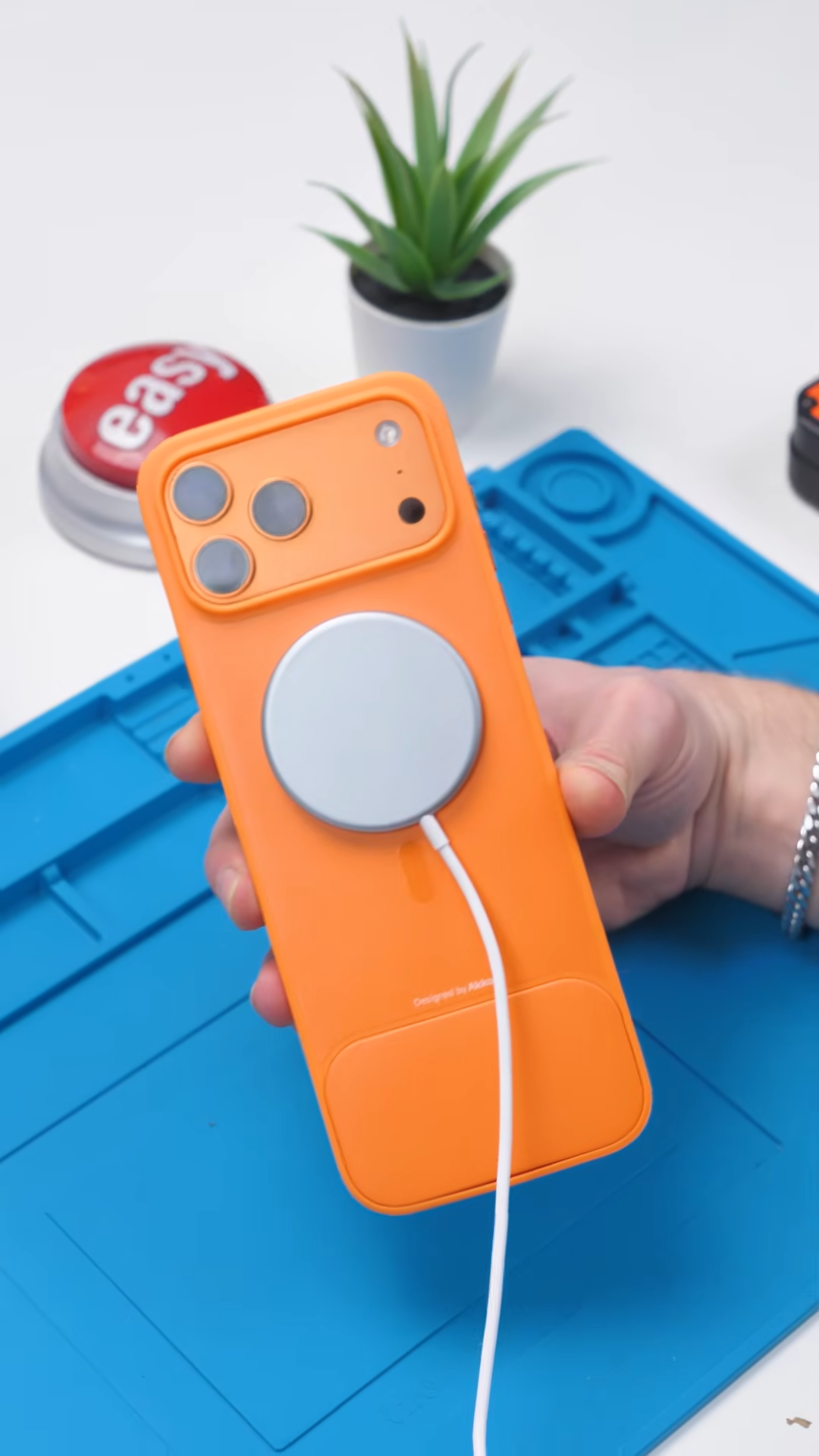
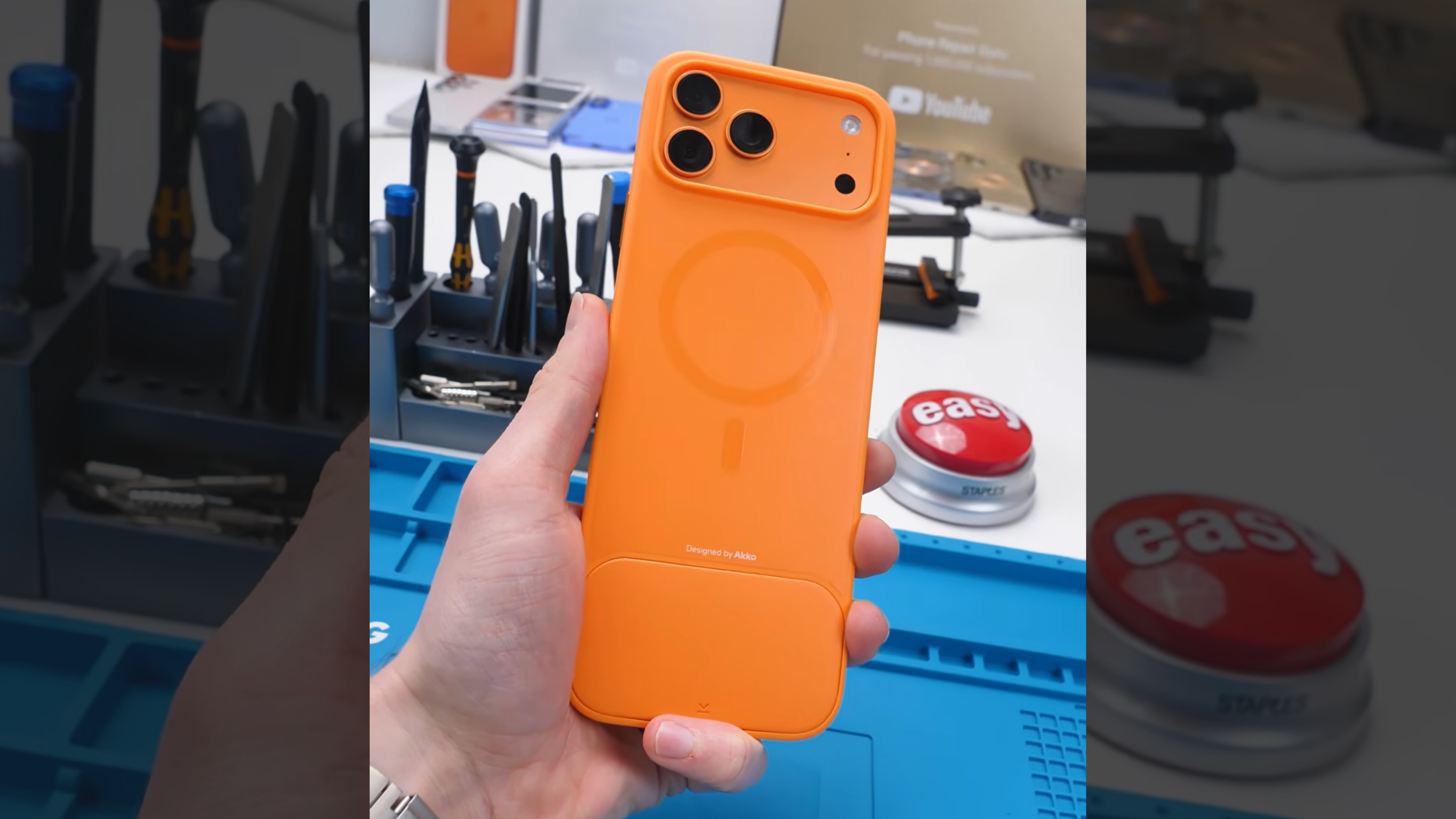
On the back, you also get MagSafe support, which is a big deal. That means you can still use accessories like mounts, wallets, or chargers without losing functionality.
The Feature That Clicks Doesn’t Have
Here’s where things get interesting. Unlike Clicks, this case has a detachable counterweight built into the back. And that small detail actually matters more than you’d think.
When you add a physical keyboard to the bottom of your phone, the balance shifts. The phone becomes top-heavy, which can make it awkward to hold, especially when typing one-handed.
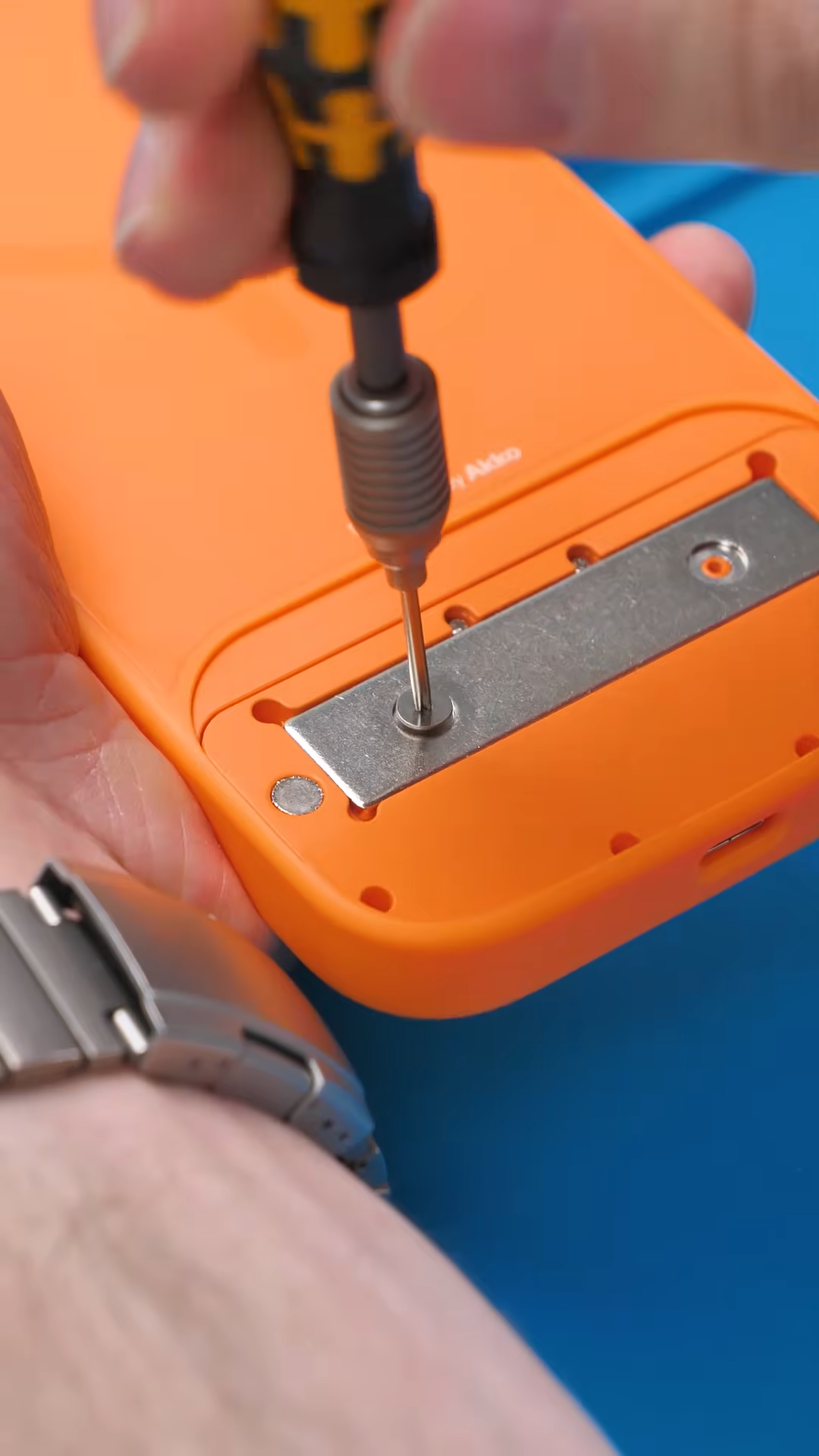
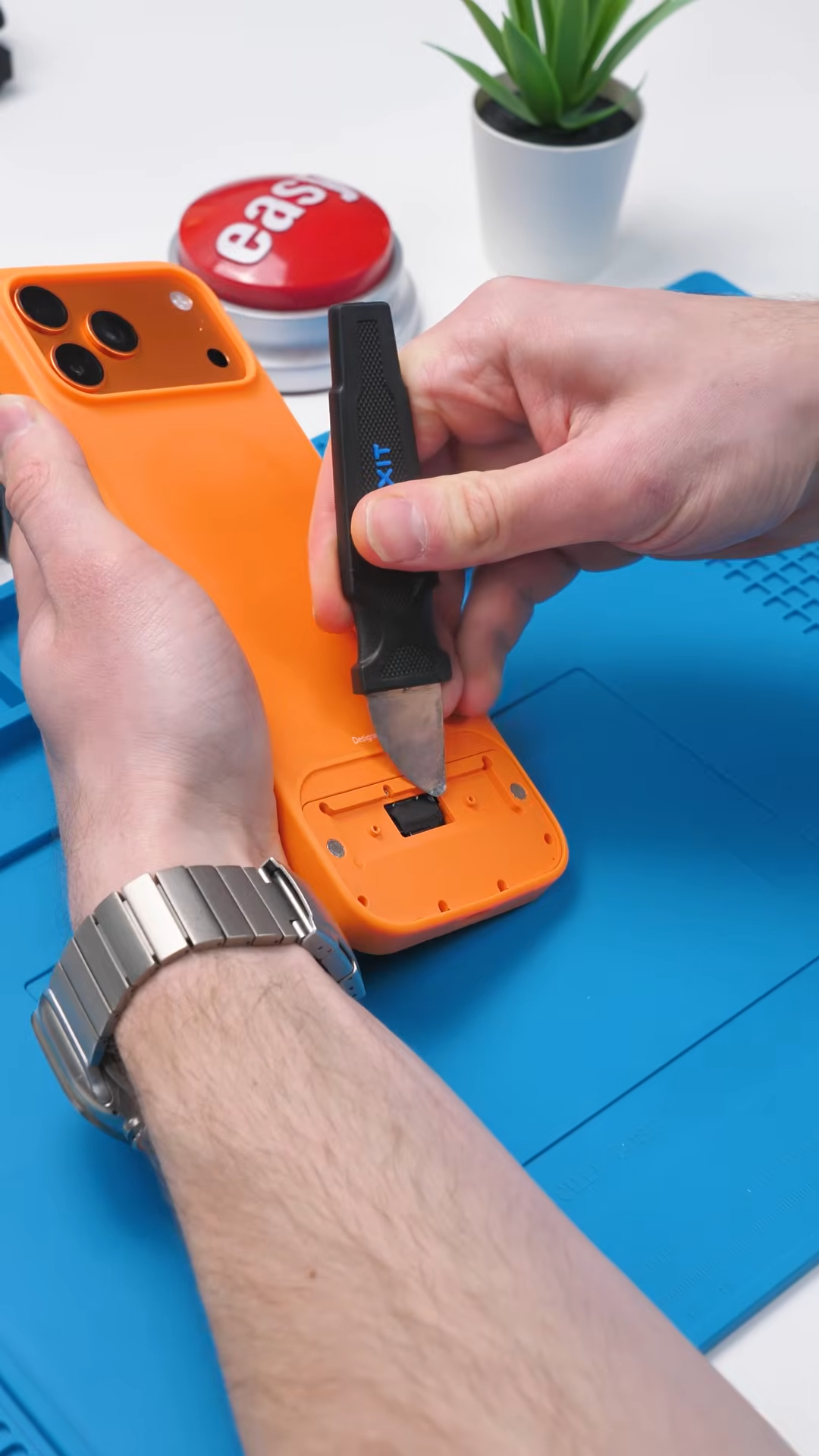
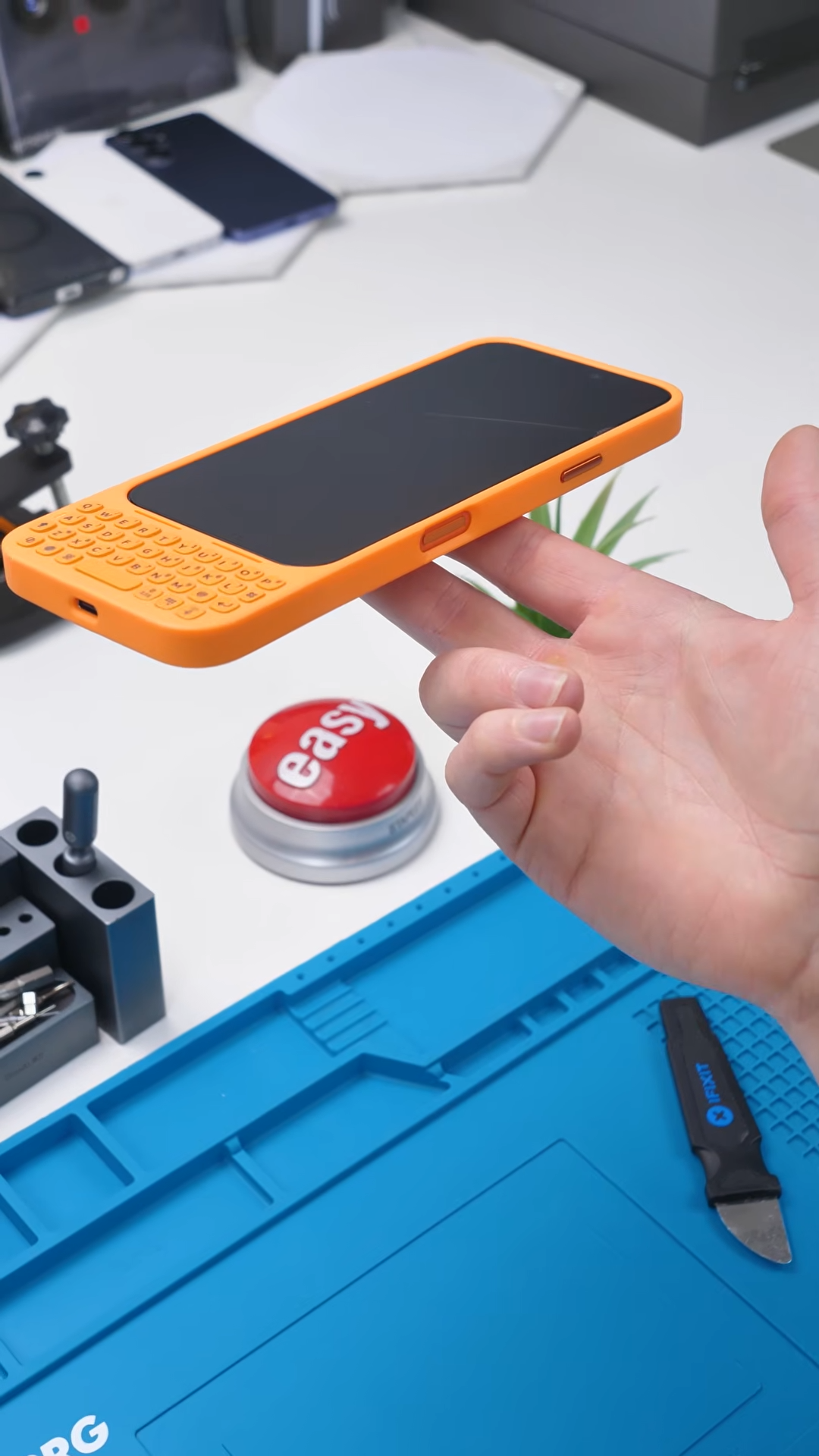
That counterweight is there to offset that imbalance and make the phone feel more stable in your hand. It’s a simple idea, but it’s something the more expensive option doesn’t even offer.

And as goofy as it looks, the more you use it, the more it starts to make sense.
Typing on physical keys is still faster and more accurate for a lot of people, especially if you grew up using devices with real keyboards.
You also get more screen real estate since the keyboard replaces the on-screen one, which makes messaging and emails feel less cramped.
It changes the experience in a way that touchscreen typing just doesn’t.
But It’s Not Perfect
That said, there are still some tradeoffs.
Even with the counterweight, the overall form factor is still a bit uncomfortable. The phone becomes longer, bulkier, and not as ergonomic to use for extended periods.
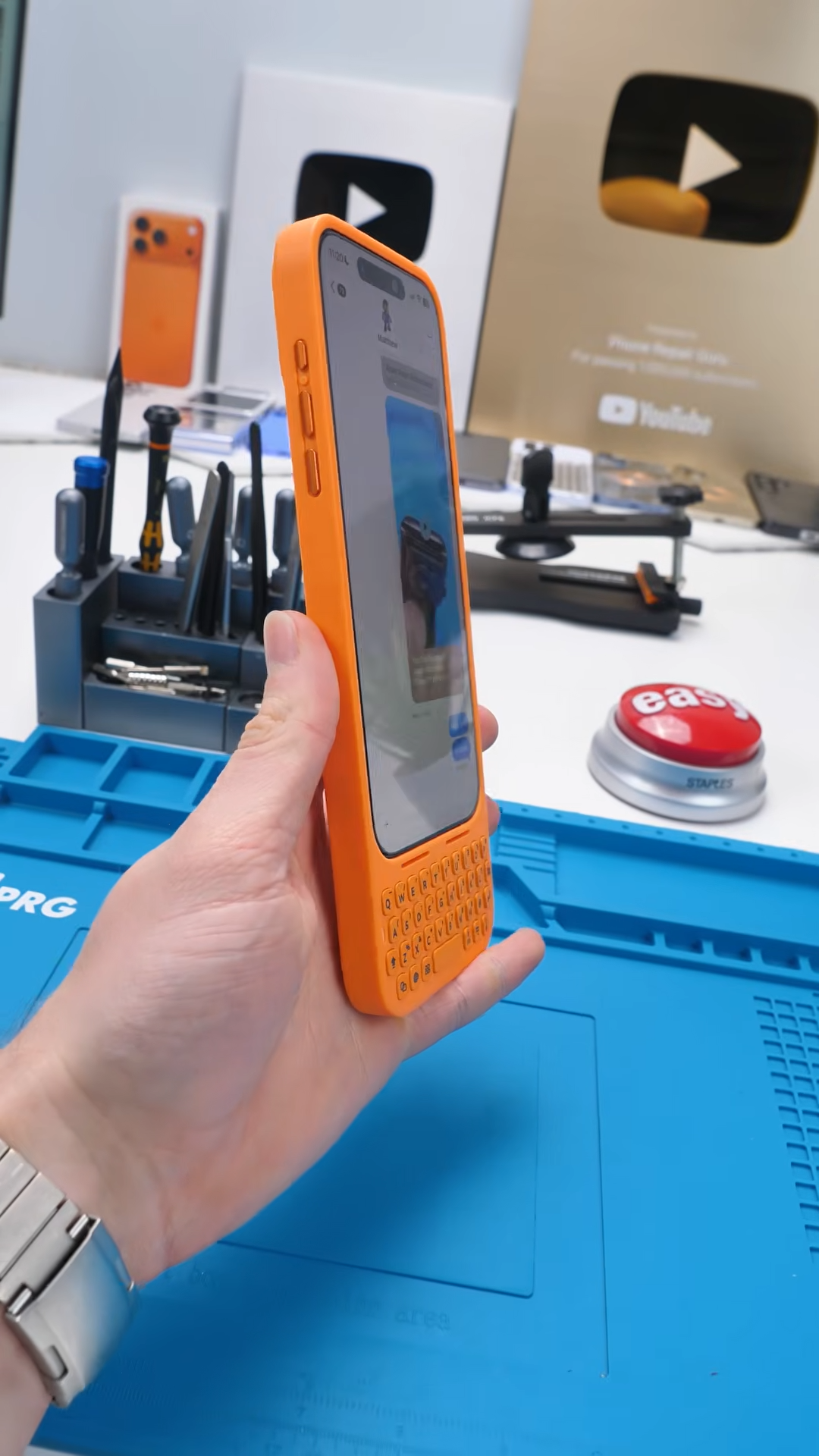
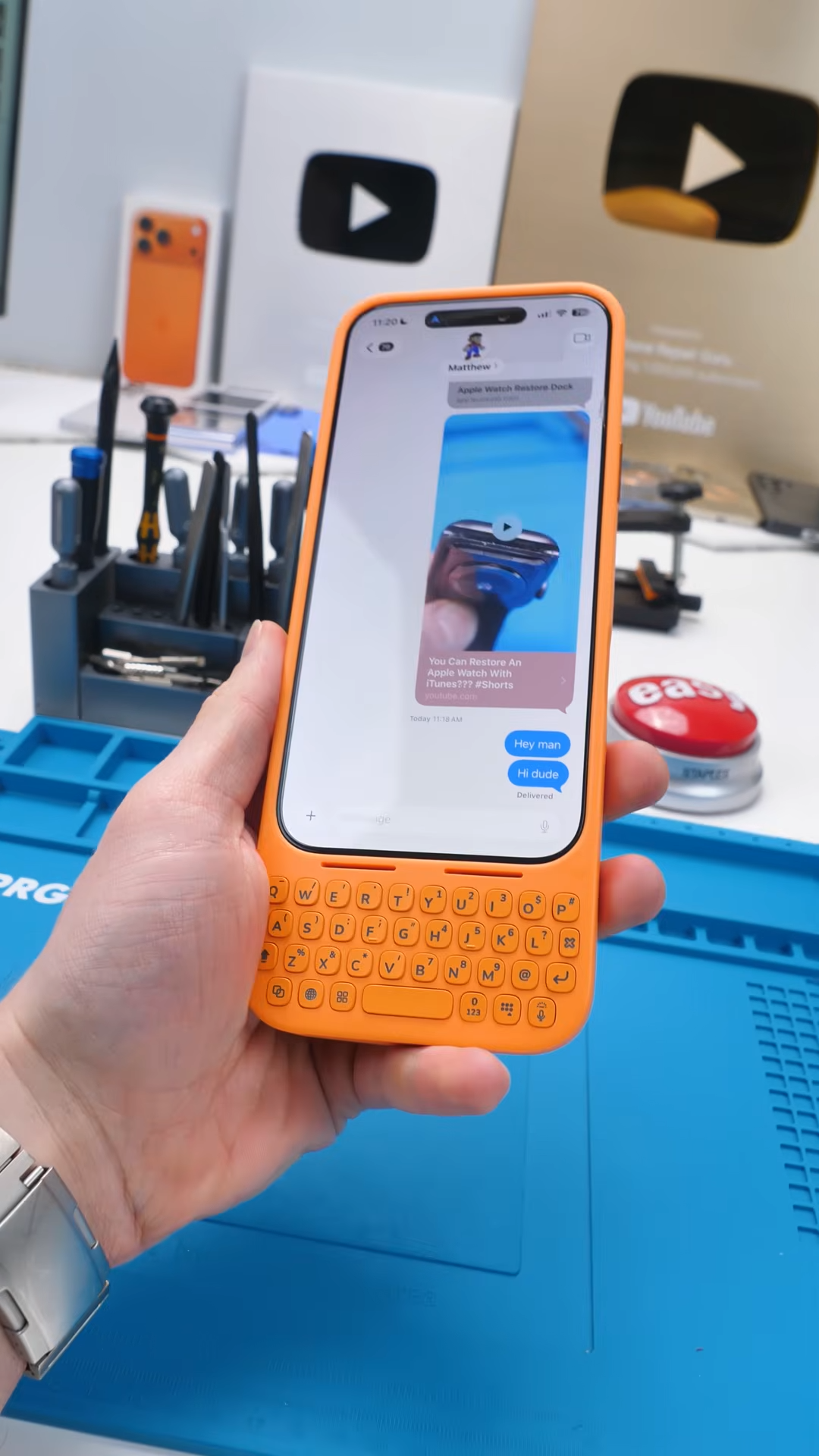
It’s one of those accessories that improves one part of the experience, typing, but slightly compromises another, comfort.
Why It’s So Much Cheaper
Part of the reason this comes in at $50 likely comes down to materials and positioning.
Clicks is marketed as a premium accessory with tighter integration, while this feels more like a practical alternative that focuses on function first. You’re still getting the core experience, physical keys, MagSafe, and even a unique balancing feature, just without the premium branding and finish.
And honestly, for most people, that might be enough.
Final Thoughts
The Akko keyboard case is one of those products that looks a little strange at first, but starts to make more sense the more you use it. It’s cheaper, it adds real functionality, and it even introduces a smart feature that its more expensive competitor doesn’t have. But it’s still not perfect.
It improves typing, gives you more screen space, and adds versatility, but it also makes your phone bulkier and a bit less comfortable to use. Still, for $50, it’s surprisingly good.
And if you’ve ever missed physical keyboards, this might be the closest thing you can get without going full BlackBerry again.
See you in the next article.
