
Nobody Knew MacBook Neo Keys Could Do This…
Most people probably don’t realize that parts from the MacBook Neo can be used to customize a regular MacBook.
I’m specifically talking about the keys. Apple sells them directly for only $40, making this a surprisingly affordable way to give a MacBook keyboard a completely different look.
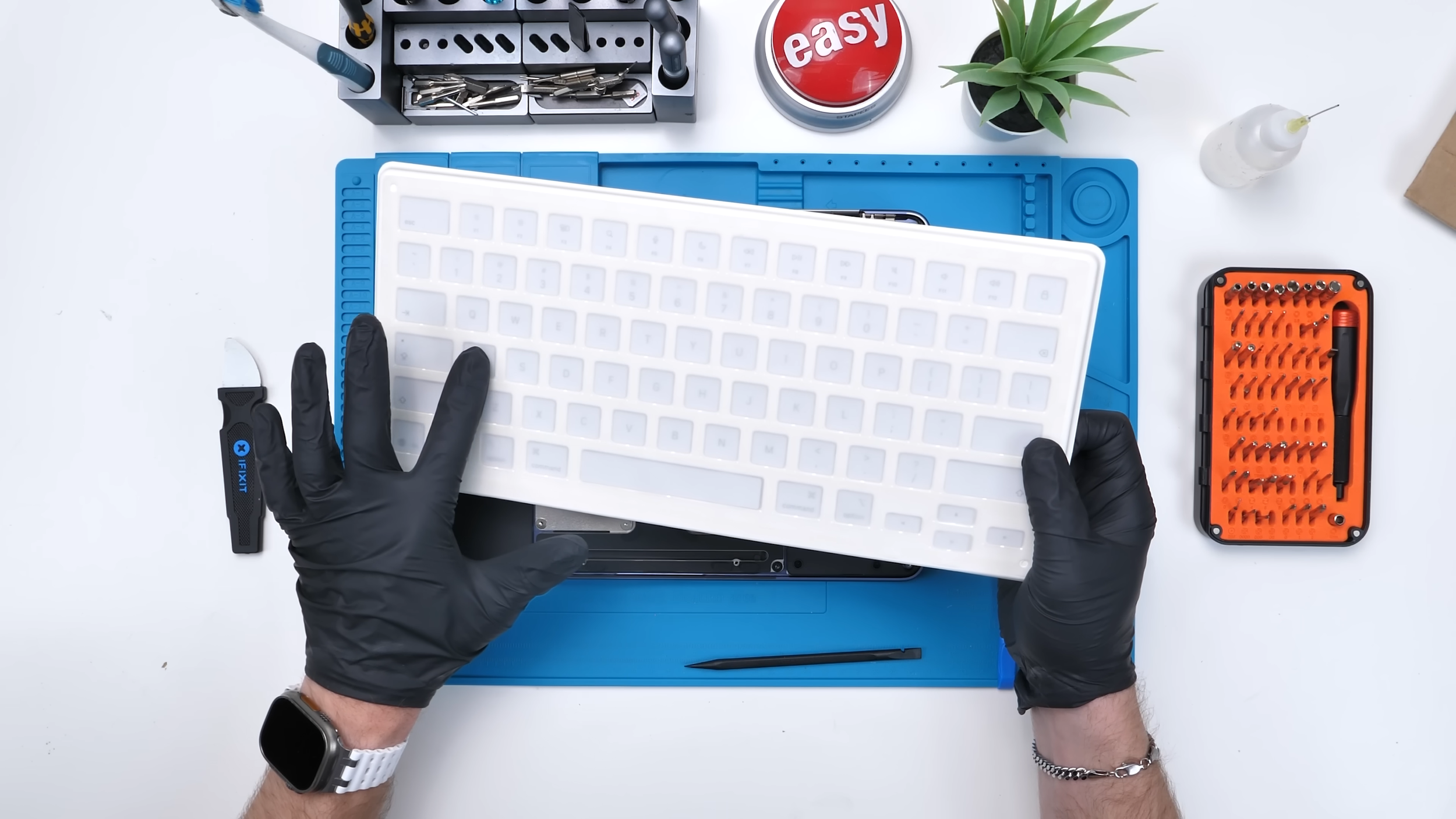
There is one catch, though.
The Keys Don’t Light Up
The MacBook Neo doesn’t have a backlit keyboard, so its keys don’t need translucent lettering. Regular MacBooks do, which means their original keys are designed to let the light shine through each character.
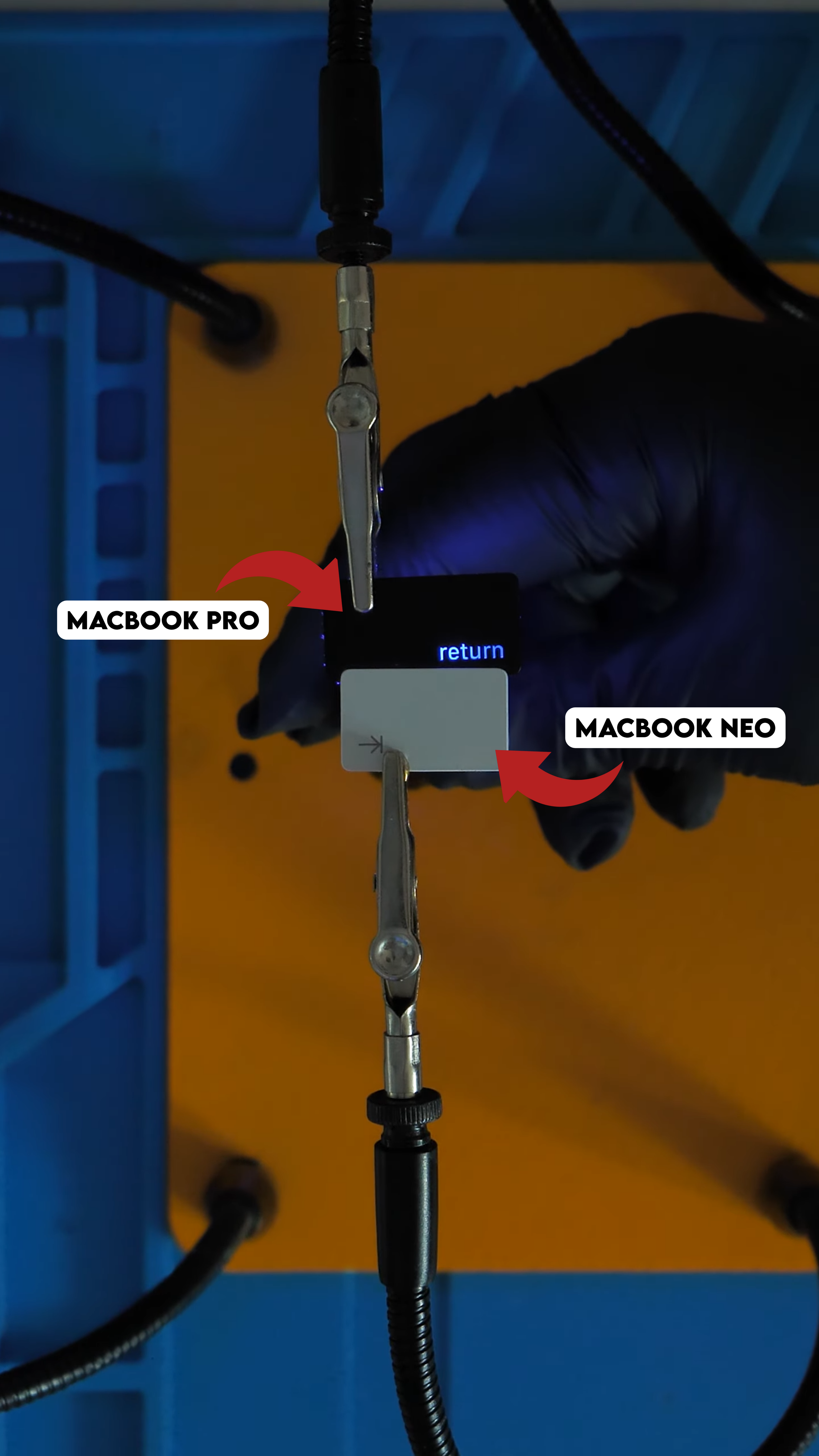
That compromise matters because Apple allows the keyboard brightness on regular MacBooks to adjust automatically in low light. The Neo’s opaque keys were never designed to illuminate.
If we replaced every original key, the keyboard would become much harder to read in the dark.
The Panda Keyboard
Instead of replacing the entire keyboard, we removed every second key and installed the MacBook Neo versions in an alternating pattern.
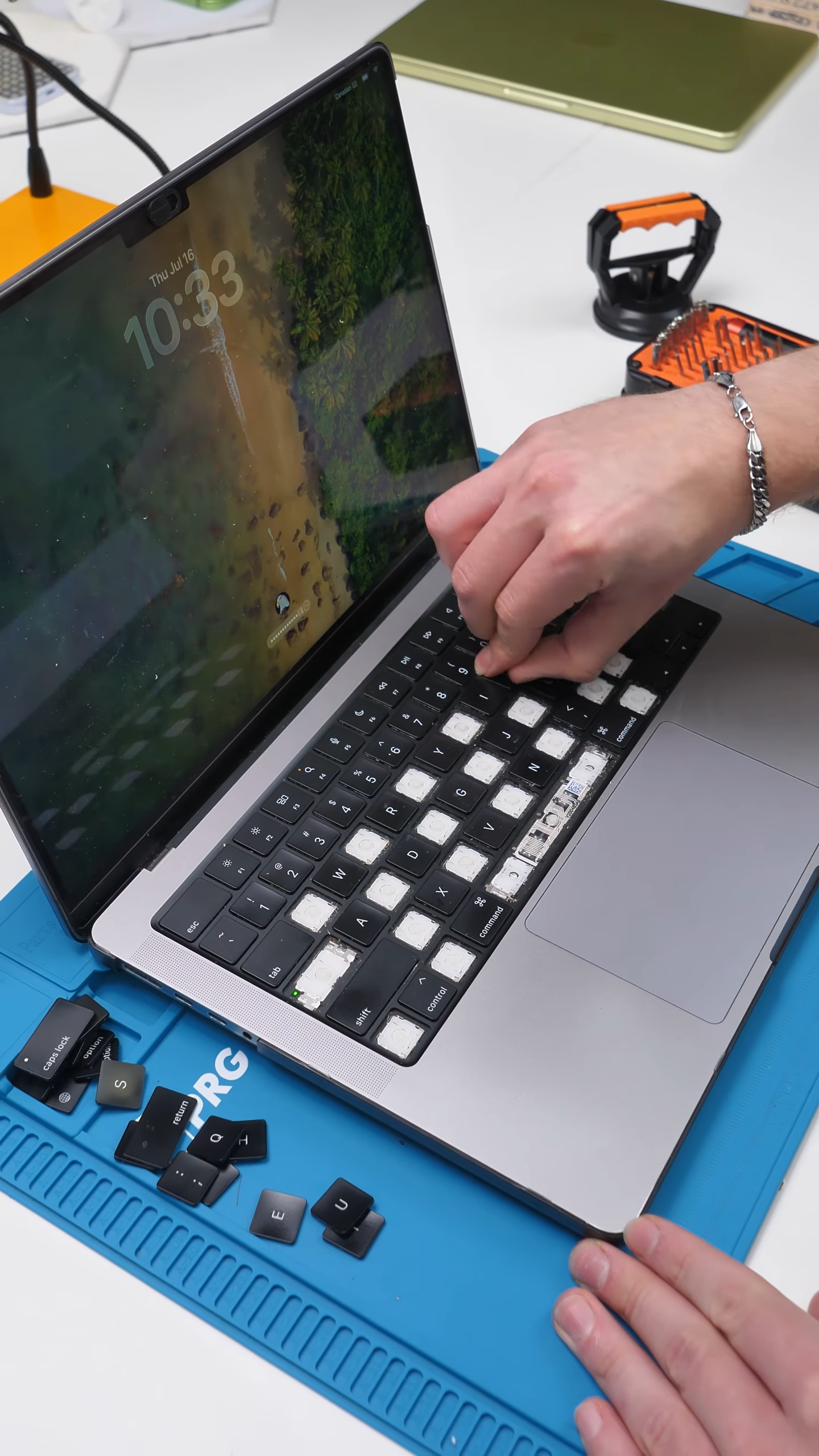
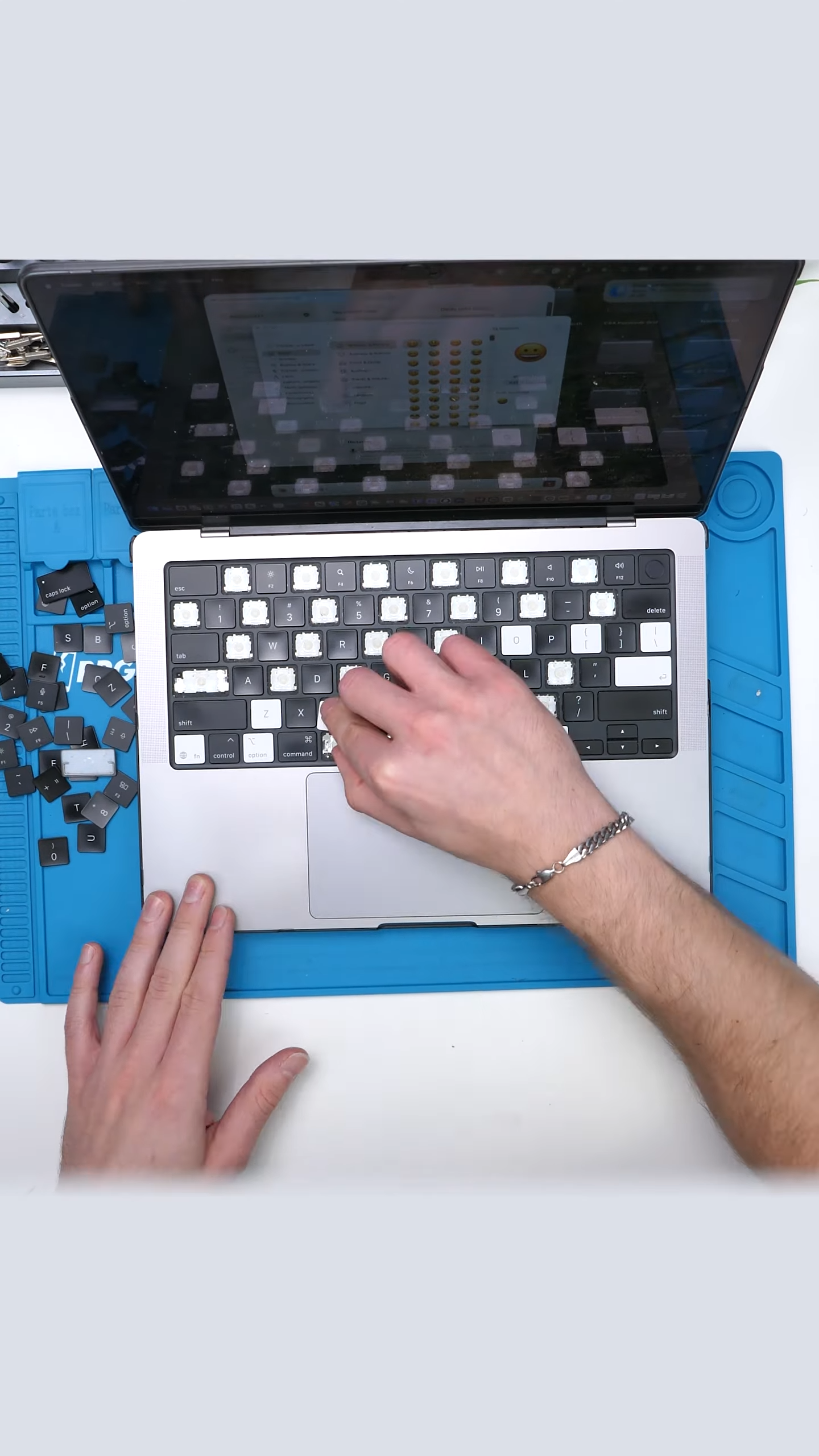
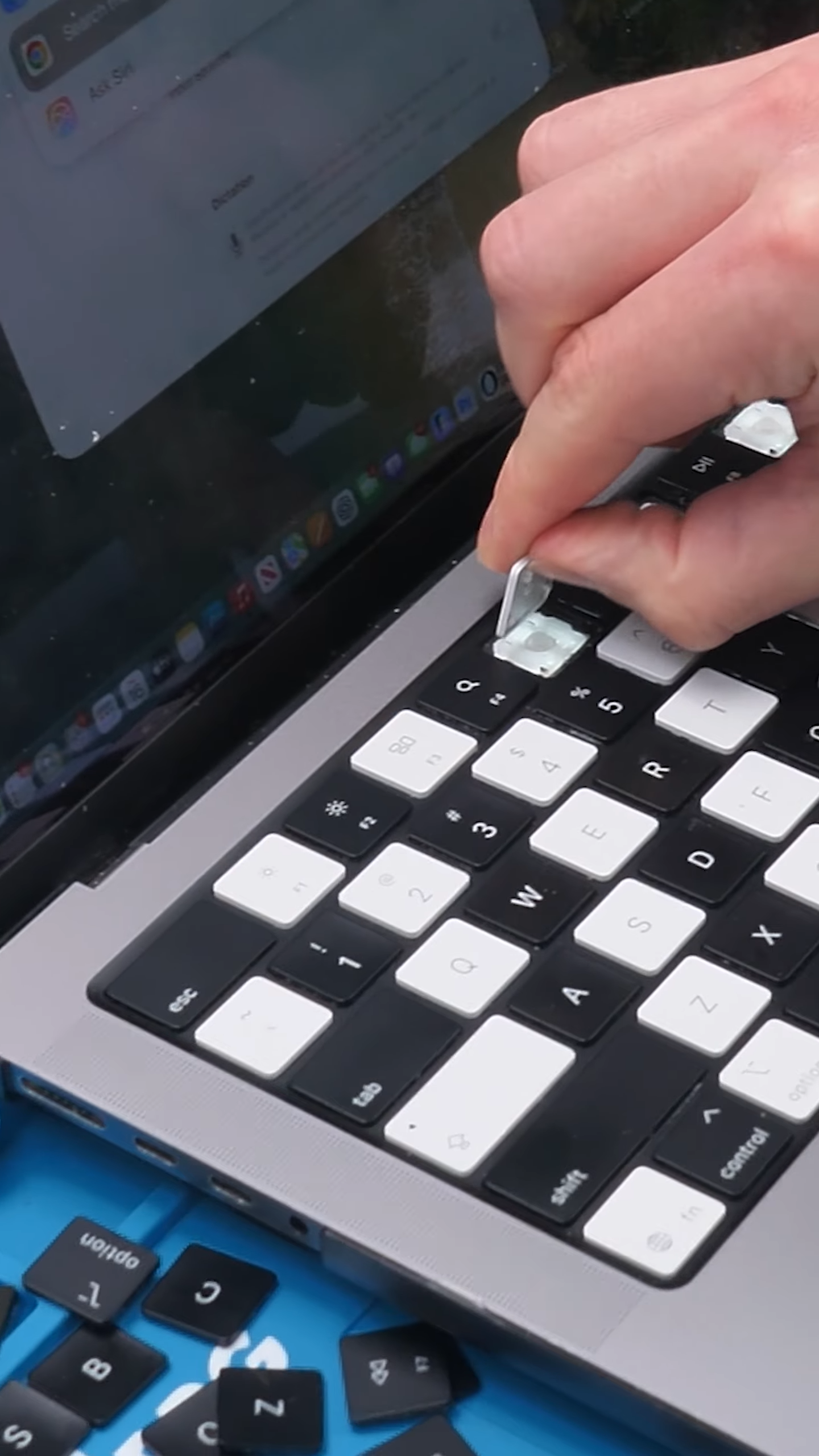
This creates a panda-style design while solving the visibility problem. The original MacBook keys still illuminate when the backlight is on, and the printed lettering on the Neo keys remains visible when the lights are off.
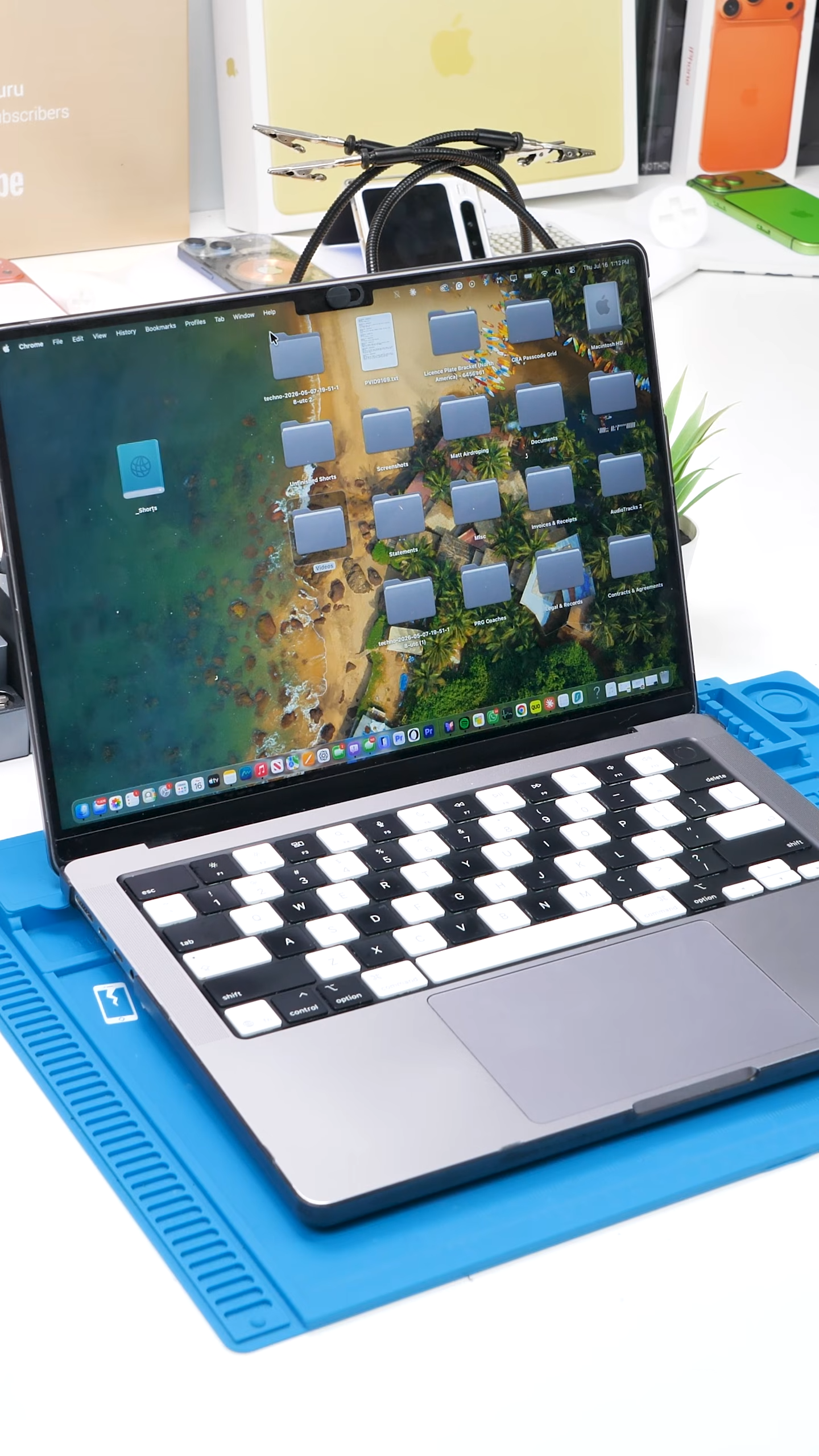
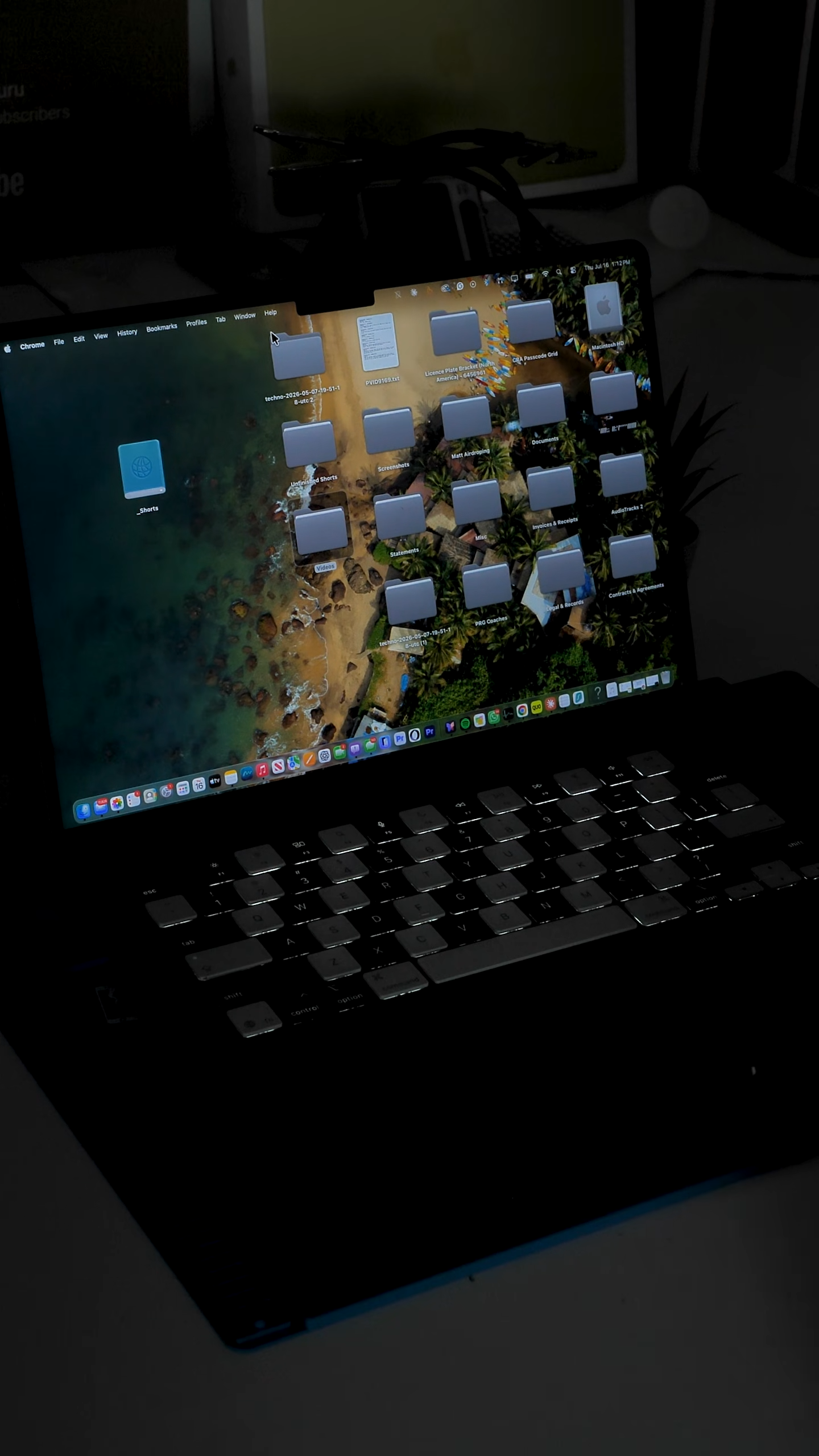
That means I can still tell where all the replaced keys are while giving the keyboard a custom two-tone appearance.
Final Thoughts
For only $40, MacBook Neo keys offer a customization option that most MacBook owners probably never knew existed. The lack of translucent lettering prevents a straightforward full swap, but the alternating panda design works around the problem without completely sacrificing the backlight.
Apple may not sell a panda MacBook, so apparently we had to make one ourselves.
See you in the next article!
