
The Moo Virus Is Wrecking iPhones… But It Isn’t Actually a Virus
A fake iPhone virus is spreading online, and once it starts running, the phone can look completely broken.
The display becomes extremely zoomed in, colors invert, settings change, and a cow repeatedly moos through the speakers. Some versions even activate Airplane Mode, disable Bluetooth, increase the volume, and alter the display.
It has become known as the Moo Virus, but there is one important detail people are missing. It is not actually a virus. It is an Apple Shortcut.
One Shortcut Can Make an iPhone Look Completely Broken
The prank is often hidden inside a shared Shortcut with a name “HH School Fights.” Once someone adds and runs it, the Shortcut begins repeatedly changing accessibility and system settings. That is where the name comes from. Along with making the screen nearly impossible to use, the Shortcut repeatedly plays a cow’s mooing sound.
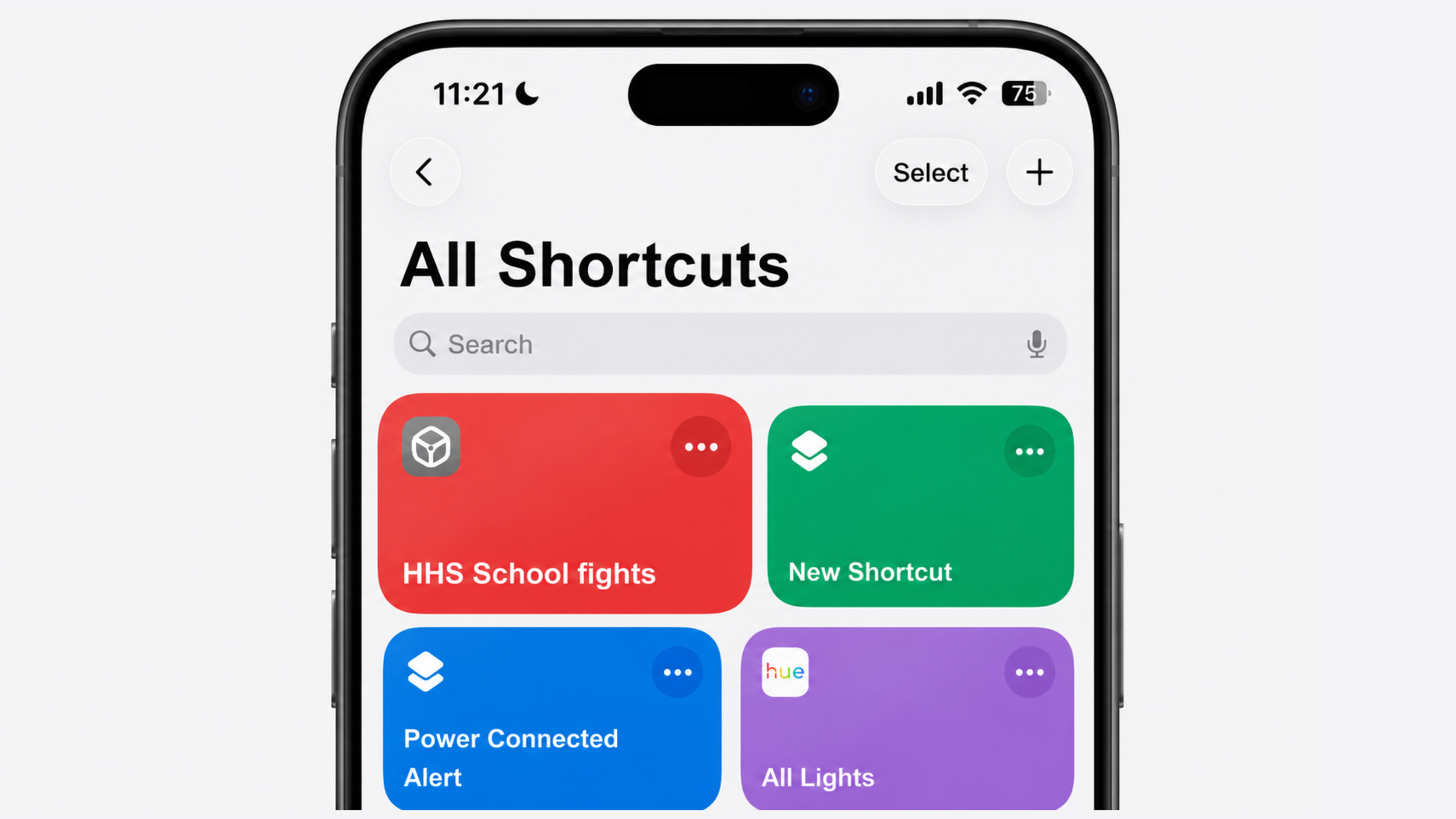
Nothing has secretly infected iOS. The phone is carrying out a list of actions contained inside the Shortcut. However, because those actions can loop continuously, simply fixing one setting may not work until the Shortcut itself has been stopped.
Apple warns that it cannot verify the behavior of privately shared Shortcuts, which is why unfamiliar Shortcuts should never be added just because someone sends a convincing link.
How to Remove the Moo Virus
If the display is heavily zoomed in, double-tap the screen with three fingers to temporarily zoom out. You may also need to drag with multiple fingers to move around the screen.
Open the Shortcuts app and stop the Shortcut if it is still running. You can then long-press it and delete it. As shown in the original video, another option is to open its actions and manually reverse the settings it changed.
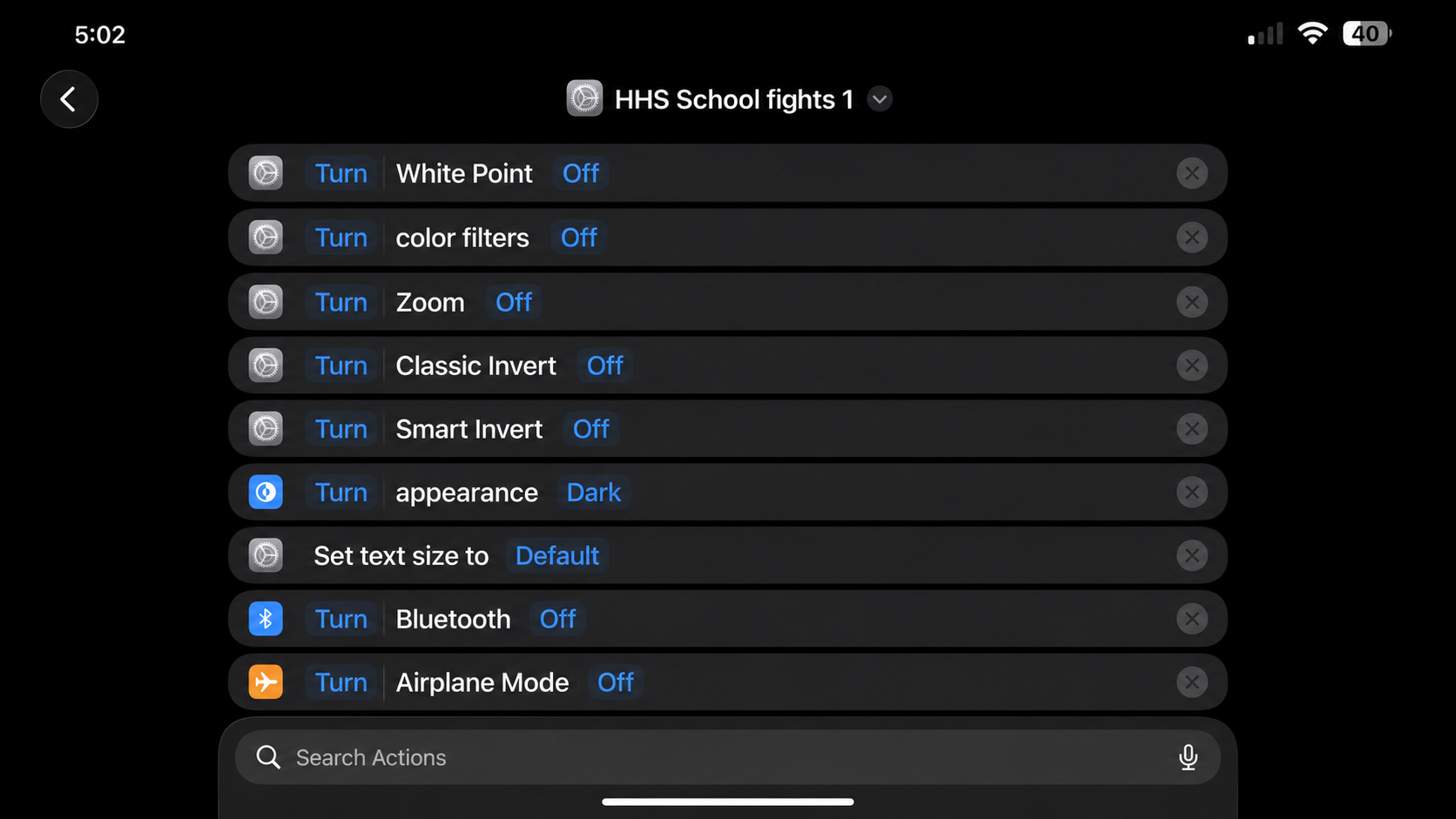
After deleting it, restart the iPhone and check the following:
Settings > Accessibility > Zoom and turn Zoom off.
Then open Settings > Accessibility > Display & Text Size and disable any unwanted settings such as Smart Invert, Classic Invert, or Color Filters. You may also need to restore the text size, Bluetooth, Airplane Mode, volume, and appearance settings.
Reports from affected users describe these as the main settings altered by the prank.
iOS 27 Could Make Pranks Like This Easier to Create
The Moo Virus was assembled using the Shortcuts tools already available on the iPhone.
With iOS 27, Apple is introducing Describe a Shortcut, which uses Apple Intelligence to turn a normal written description into a complete Shortcut. Users will be able to explain the automation they want, and the system will assemble the necessary actions for them.

It does not mean iOS 27 will automatically create malicious Shortcuts. However, the Moo Virus already shows what someone can accomplish by combining ordinary settings into one convincing attack. Soon, building something similar may require little more than describing it.
Final Thoughts
The Moo Virus is more annoying than dangerous, but it demonstrates just how much control a single Shortcut can have over the way an iPhone behaves.
The safest move is simple: never add or run a Shortcut unless you trust its source and understand what its actions will do.
Because even when something is not technically a virus, it can still make your iPhone feel completely unusable.
See you in the next article!
